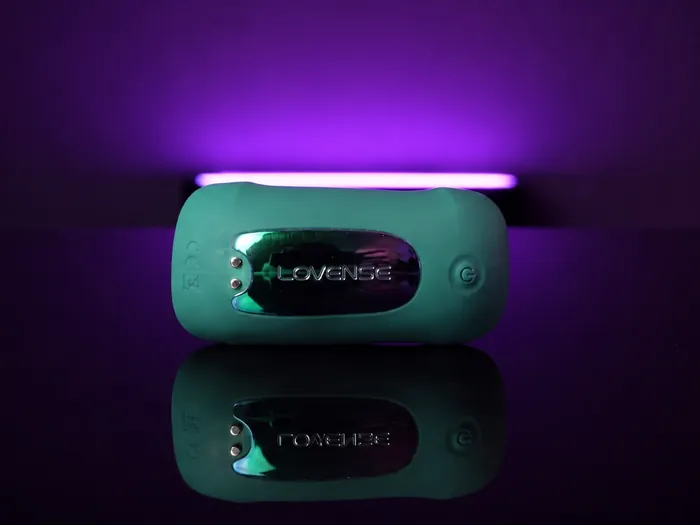
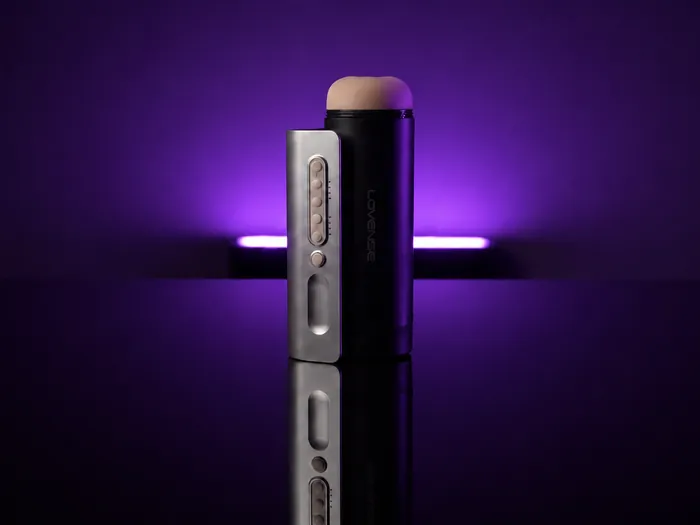
Long-Distance, Short Fuse: App Toys for Couples Apart
What actually works across time zones, and what drops the connection at the worst moment.

Distance does a strange thing to desire. It sharpens it, then hands you a phone and asks you to make do. App-controlled toys are the closest thing the industry has built to an answer: your partner moves a slider in their kitchen, and something happens in your bedroom a province or an ocean away. When it works, it feels a little like cheating physics.
When it doesn’t, it fails in the least romantic way possible. The toy goes quiet, the app spins, someone says “is it doing anything?” and the mood leaves the call before either of you does. Most of those failures are predictable, and they happen in a few known places along the line between two phones.
Here is how the signal travels, where it breaks, what the security record honestly looks like and how to set up a session that survives a time difference. Where we say “we,” we mean the app-controlled toys we have reviewed ourselves.
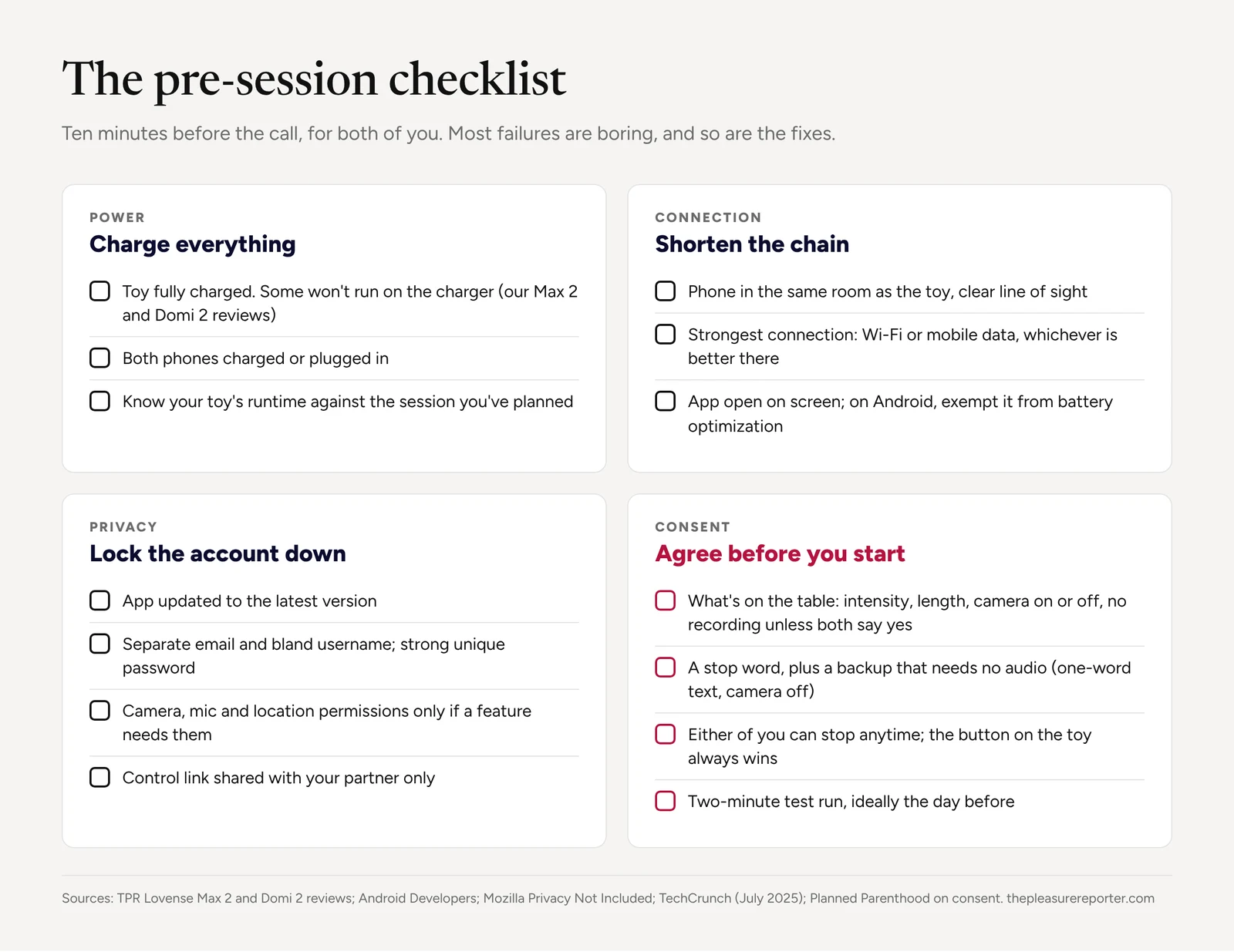
The short version: Long-distance control is a relay. Your partner’s phone sends commands over the internet to the toy maker’s servers, which pass them to your phone, which talks to the toy over Bluetooth. Expect a beat of lag, not real time; our Domi 2 test showed about a second over roughly 600 km. The weak points you can fix sit at the two ends: shaky Wi-Fi or data, and a phone too far from the toy or putting the app to sleep. Charge everything first, run a two-minute test, agree on a stop word, and treat the app account like it holds something private, because it does.
How the signal actually gets from their thumb to you
An app toy is not on the internet by itself. The toys we tested connect to a phone over Bluetooth; our Domi 2 review lists Bluetooth 5.0, and the Max 2, Gush 2 and Solace Pro all pair the same way through the Lovense Remote app. Bluetooth is a short-range radio. The phone is what gives the toy a passport.
For long-distance play, the chain runs in four links. Your partner moves a slider or picks a pattern on their phone. Their app sends that command over their home Wi-Fi or mobile data to the manufacturer’s servers. The servers pass it to the app on your phone, over your connection. Your phone then sends it over Bluetooth to the toy sitting a few feet away. Every link adds a little delay, and any link can drop.

That relay design is why you can play across a continent, and also why you should not expect the toy to respond the instant a finger moves. When we tested long-distance control on the Lovense Domi 2, the link held for more than 30 minutes across a gap of roughly 600 km, with about a second of latency. One second sounds trivial until you are trying to match a voice on a video call to a sensation. It is closer to a long-distance phone line in an old movie than to a hand on your thigh.
The useful mental adjustment: the person holding the controls is steering a boat, not a sports car. Slow builds, held intensities and saved patterns translate well across a lag. Rapid-fire tapping to a beat does not, because every tap arrives a second after the moment it was meant for.
Where it breaks: lag, drops and dead batteries
Most failures are boring, which is good news, because boring problems have boring fixes. They cluster in three places.
The Bluetooth end
The last hop, phone to toy, is the shortest and the most fragile. The Bluetooth industry group behind the standard is plain about it: walls, glass, wood, metal and concrete all weaken the signal, and range depends heavily on antenna placement. A phone charging in another room, or buried under a pillow, is an easy way to get a toy that keeps dropping out. Keep it in the same room with a clear line of sight. One camming platform’s support page even suggests pointing the phone at a Lovense toy and taking the case off if the connection is weak, which tells you how touchy those last few feet can be.
The internet ends
Two people’s home connections are in this chain, and the weaker one sets the pace. A video call running alongside the toy control competes for the same bandwidth, so a stuttering picture is a hint the commands may be stuttering too. If Wi-Fi sags in the bedroom, mobile data is a reasonable fallback where its signal is stronger.
The battery
Battery life varies enormously between toys, and it matters more for long sessions where neither of you can hand the other a charger. In our testing the Max 2 ran 75 to 90 minutes per charge, the Gush 2 is rated for up to 110 minutes, the Domi 2 is rated at 370 minutes and never ran flat mid-session across 31 sessions, and the Solace Pro is rated for up to 14 hours. Two of those reviews note something easy to miss: the Domi 2 and Max 2 will not run while they are on the charger. You cannot plug in halfway through and carry on. Charge the toy before the call, and charge both phones too: a long video call is hard on a phone battery even before you add a toy to the mix.
The person holding the controls is steering a boat, not a sports car.
What we found with the four toys we tested
We have reviewed four app-controlled Lovense toys, all run through the same Lovense Remote app, so the long-distance features work the same way on each. Here is what each review recorded.
| Toy | Type | What our review found on app and connection | Battery |
|---|---|---|---|
| Lovense Domi 2 | Mini wand | Long-distance link held 30+ minutes over ~600 km, about one second of latency; phone app smoother than desktop | Rated 370 min; never ran flat in 31 sessions |
| Lovense Max 2 | Vibrating, contracting stroker | Fast, stable pairing; partner control by link or chat with built-in messaging and voice and video calling | 75–90 min tested |
| Lovense Gush 2 | Open-ended glans vibrator | Pairing fast and stable; separate sliders for oscillation and vibration | Up to 110 min |
| Lovense Solace Pro | Mounted automatic stroker | Partner controls speed, stroke depth and patterns in real time once control is handed over | Up to 14 hrs |
Two caveats carry over. Our Domi 2, Gush 2 and Max 2 reviews all note that a PC needs Lovense’s USB Bluetooth adapter, sold separately, and in the Domi 2 test the phone app was smoother anyway, so use phones. And the app is crowded with features (music sync, community patterns, game integrations) that the Max 2 review admits you will mostly never use. For couples apart, the ones that matter are the control link, the in-app chat and call, and saved patterns.
Saved patterns quietly ease the lag problem. A pattern built in advance does not depend on anyone reacting to a laggy video feed, so the delay matters less. Live sliders feel more personal; patterns feel smoother. Use both.

Privacy and security, honestly
You are connecting one of the most private objects you own to a company’s servers. The record of connected toys is mixed, and some of it involves the brand we tested.
The case that put the category on notice came out of Canada. In 2016, two security researchers presented findings at the DEF CON conference showing that the app for the We-Vibe 4 Plus sent usage data, including vibration intensity changes and the toy’s temperature, back to the manufacturer. A class action followed in federal court in Illinois, and in 2017 the Canadian maker, Standard Innovation, agreed to a $3.75 million settlement. The company denied wrongdoing, but the lesson stuck: an app toy can generate data about when and how you use it.
Lovense has its own history. In 2017, a user found that the company’s Android app had saved a six-minute audio file from a session that used the sound-control feature. Lovense called it a minor bug, said the file never left the phone, and released a fix; an independent researcher found no sign the app was sending it anywhere. In 2021, the security firm ESET examined the Lovense Max and the We-Vibe Jive and reported several flaws, including Bluetooth connections without authentication and email addresses shared in plain text between phones in a chat. ESET said both companies had addressed the reported issues by the time it published.
The most recent episode is the one to know about. In July 2025, TechCrunch reported that a security researcher had found two Lovense flaws: one that could reveal the email address behind any Lovense username, and one that could let an attacker take over an account using only an email address, with no password. The researcher said they first reported the bugs in March 2025 and went public after Lovense asked for 14 months to fix them. After publication, Lovense told TechCrunch the account takeover bug had been fully addressed and that a fix for the email issue would reach users within a week.
Mozilla’s Privacy Not Included guide reviewed the Domi 2 in February 2021. It found that the product met Mozilla’s minimum security standards and that app activity was encrypted, while flagging the 2017 recording incident and the plain risk of remote control: someone else with access to your phone, an ex or a curious child, could control the toy. Treat that review as a snapshot from 2021, not a current certificate. The 2025 flaws came later.
None of this means skipping connected toys. It means setting them up with a little more paranoia than the defaults assume:
- Use a separate email address and a bland username for the toy account, neither carrying your name. The 2025 flaw exposed email addresses, and an alias limits what one leak can connect.
- Use a strong, unique password and keep the app updated. The fixes only help if you install them.
- Check the app’s permissions. Mozilla noted the app can request camera, microphone and location access. Grant only what a feature you actually use requires.
- Look at the data-sharing settings. Mozilla reported that Lovense shares some data with analytics and advertising partners when users opt in. Leave those off.
- Share control links only with your partner, and end the session in the app when you are done.
- Lock your phone. The simplest remote-control risk is someone else picking it up.
ESET’s 2021 advice is worth borrowing too: keep the toy connected to its app while it is switched on, and avoid using it in public places such as hotels, where someone nearby could detect a toy broadcasting over Bluetooth. If you travel with one, our guide to packing the discreet kit covers the rest.
Setting up a session across time zones
The technology is the easy half. The harder half is two adults in different places agreeing on what is about to happen, when, and how to stop it.
Pick a time that is good for both of you
A seven-hour difference turns “tonight” into “your tonight, my tomorrow morning before work.” Name the time in both zones when you schedule it, so a daylight-saving change doesn’t leave someone waiting an hour. Put it in a shared calendar with a dull title, and rotate who gets the convenient slot.
Talk about it before, not during
One person is literally holding the controls for another person’s body, so agree beforehand on what is on the table: intensity, how long, whether the camera is on, whether anything is recorded (our advice is no). Planned Parenthood’s description of consent is a good frame here. It should be freely given, reversible, informed, enthusiastic and specific. Two of those carry extra weight at a distance. Reversible means either of you can stop at any point, even mid-pattern. Specific means agreeing to a vibration session is not agreeing to a screenshot.
Agree on a stop word and a stop gesture
A safeword works over a call the same way it works in a room. The twist at a distance is lag and silence: a word can be lost if the audio cuts. Agree on a backup that does not need audio, such as a one-word text in the app chat or the camera turned off. And the person wearing the toy should know they can always just switch it off at the button or close the app. Local control always beats remote control, and that is a feature.
Do a test run
Two minutes, fully clothed, a day before if you can. Confirm the control link works, find out how long a slider change takes to arrive on your end, check the call quality alongside it, and see how the battery indicator looks. You will discover any Wi-Fi dead zone at a moment when it costs nothing. If you are new to bringing a toy into things at all, our guide to bringing a toy into bed covers the conversation side in more detail.
Pairing toys: combinations that work for two
The appeal of a matched pair is that both of you feel something at the same time, driven by the same input. Lovense calls this toy-to-toy sync, and our Max 2 review spells out the limits: the Max 2 mirrors fully with a Nora, another Max 2, a Calor or the Lovense Sex Machine, and with any other Lovense toy the sync works one way only. Check the specific pair before you buy two toys expecting them to talk to each other.
Within what we have tested, a few combinations make sense:
- Max 2 for him, a Nora for her. The Max 2 review lists the Nora among the toys it fully syncs with, so the two can mirror each other, or one partner can take the controls for both.
- Domi 2 for either partner. A mini wand is not gendered, and the Domi 2’s runtime makes it the safest bet for a long session. Our review describes it as a toy where long-distance play is the point rather than a novelty.
- Gush 2 for a lighter, hands-free option. It sits on the glans rather than enclosing the shaft, and the separate oscillation and vibration sliders give a partner two things to play with instead of one.
- Solace Pro for the long game. It is mounted, so your hands stay free while your partner steers speed and stroke depth, and its runtime outlasts any call.
Mixing brands is possible, but each brand runs its own app, so a mixed pair means two apps, two accounts and two control links. One shared app is simpler to troubleshoot at midnight. And whichever toy you pick, use a lube that suits the material; both the Max 2 and the Gush 2 call for water-based only.

Making it feel less like tech support
Once the setup becomes habit (chargers in at dinner, phone on the nightstand, a quick check that the link is live) the dropout that used to kill the mood gets a laugh instead. Lag is a fact of physics and relays, not a sign the toy is broken. Privacy is a setting you choose, not a default you inherit. And a long-distance session is still sex between two people, which means it runs on the same things that make it work in person: attention, agreement and someone being willing to say “stop” when it stops being fun.
Quick answers
Does my partner need the same toy or the app to control mine?
Your partner needs the control link or the app, not a toy. With Lovense, one partner can hand control of their toy to the other through the Lovense Remote app, and the person driving does not need to own any hardware. Matching toys only matter if you both want to feel something at the same time through toy-to-toy sync.
Why does the toy keep disconnecting when the internet is fine?
Usually the problem is the Bluetooth hop between your phone and the toy, not the internet. Move the phone closer, keep walls and furniture out of the way, and keep the app open on screen rather than in the background. On Android, Doze and App Standby can cut network access for apps running in the background; you can exempt the toy app under Settings, Battery, Battery Optimization.
Can I control several toys at once?
Yes, within limits. Lovense lists up to 10 toys on iOS, up to 7 on Android and typically five or more on a computer with its USB Bluetooth adapter. For a couple, two is plenty.
Is it safe to use an app toy over hotel Wi-Fi?
The app connection itself is not the main concern. ESET’s research advised against using connected toys in public places such as hotels, because a toy broadcasting over Bluetooth can be detected by someone nearby. Keep the toy paired to your phone the whole time it is on, and switch it off when the session ends.
What happens if the connection drops mid-session?
The toy stops responding to your partner’s commands until the link comes back, and you can always switch it off at the button. Have a plan for this before you start: a text in the app chat, or simply restarting the link. If drops keep happening, run the test session again and change one thing at a time, phone position first.
Should I record our sessions?
Only if you both say yes, specifically, in advance. Recordings are the kind of data that can outlive the relationship and the app. The safest default is to keep calls live and unrecorded and to delete in-app media you no longer want.